
A smart infrared sauna promises something wonderfully ordinary: a warm cabin ready when you are, without standing in front of a control panel first. Instead of walking to the sauna, dialling in a temperature and waiting, you open an app, check the cabin, and set it going from another room.
That convenience is real, but it changes the safety picture. A traditional sauna only starts when someone is standing beside it. A smart infrared sauna can start when nobody is in the room at all. This guide explains what WiFi and app controls actually do, how to set up scheduling safely, and when remote start should stay switched off.
Throughout, remember that a smart infrared sauna is still an infrared sauna. The app is a convenience layer on top of the cabin, its heaters and its controls — not a replacement for checking the cabin itself.
Important Disclaimer: Read This First
This article is not medical advice. Saunas are wellness tools, not treatments, and they do not cure, prevent or treat any condition. If you are pregnant, live with a heart or circulation condition or low blood pressure, or take medication that affects heat tolerance, check with a doctor before using a sauna.


Paid Links - As an Amazon Associate, I earn from qualifying purchases.
The electrical and remote-start guidance here is general information only. It is not a substitute for your local code, your manufacturer’s instructions, or a licensed professional. For installation work, always use a licensed electrician and check with your local code or permit office first.
Basic safety still applies to every session, smart or not. Hydrate before and after, start with short sessions, leave immediately if you feel dizzy or unwell, and do not drink alcohol before or during a session.


Paid Links - As an Amazon Associate, I earn from qualifying purchases.
What WiFi and App Controls Actually Do on a Smart Infrared Sauna
On most modern infrared cabins, the app mirrors what the on-cabin panel already does. It does not usually add new heating power or change how the infrared panels work. It simply gives you a second way to reach the same controls.
That distinction matters when you are shopping. A cabin marketed as “smart” is not automatically hotter, healthier or more effective than a non-smart cabin. The difference is control and convenience, not the heat itself.
Temperature and Time Presets
The most common app feature is a preset: a saved combination of temperature and session length that you can start with one tap. Presets are handy for households where different people prefer different sessions, because each person can keep their own setting instead of re-entering it every time.
Presets should still follow the manufacturer’s guidance for your model. Do not copy a preset from another brand, another cabin size or an online forum and assume it suits your sauna. If you are new to infrared saunas, start conservatively and build up only as you learn how your body responds.

Paid Links - As an Amazon Associate, I earn from qualifying purchases.
Session History and Reminders
Some apps keep a simple log of past sessions: when the sauna ran and for how long. That can be a useful reminder of your routine, and it can help you notice if the cabin has been running more often than you expected.
Session history is not a health record, though. It does not measure hydration, heart rate or any health outcome, and it should not be used to judge whether a session was “good” for you. How you feel during and after a session matters far more than what the log says.
What the App Cannot Do
An app cannot see inside your sauna. It cannot tell you whether a towel has fallen onto a heater panel, whether a child has climbed inside, or whether the door is closing properly. That is why remote start needs a physical check, not just a tap on a screen.
Likewise, an app cannot override the cabin’s built-in safety features. If your model has an automatic shut-off, a temperature limit or a door sensor, those features belong to the cabin, not the app. Read your manual to learn which protections your model actually has before you rely on any of them.
How App Scheduling Works — and How to Set It Up Safely
App scheduling lets you tell the sauna to warm up at a chosen time, so it is ready when you plan to use it. For many owners, the appeal is simple: finish work, walk to a cabin that is already warm, and skip the waiting.
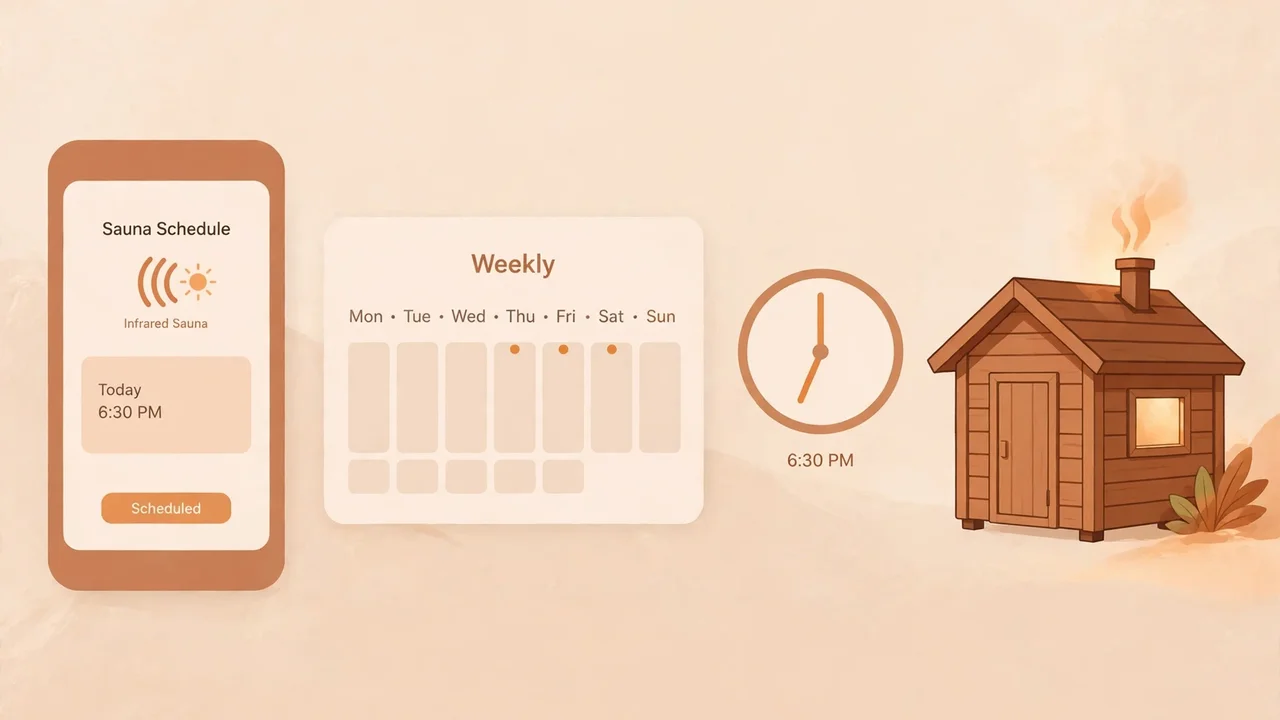
Scheduling works best when it is tied to a real plan, not left running on autopilot. A schedule that fires every evening whether or not anyone uses the sauna wastes electricity and, more importantly, starts a heater in an unchecked cabin on a regular basis.
Setting Up a Schedule, Step by Step
- Check the cabin first. Before you create any schedule, open the door, look inside, and confirm the cabin is empty, clean and dry, with nothing stored on or near the panels.
- Choose a start time you can keep. Pick a time shortly before you actually plan to use the sauna, not hours earlier. A shorter warm-up window means less time with a hot, empty cabin.
- Use a modest preset. Schedule your usual setting, not the highest setting available. You can always adjust from the panel once you are there.
- Set an end time or auto-off. If your app or cabin supports it, confirm that the session will end on its own. Never schedule a sauna to run indefinitely.
- Test it while you are home. Run the first scheduled session while you are in the house and able to check the cabin. Do not test a new schedule on a day you will be out.
- Review the schedule regularly. Delete schedules you no longer use, especially one-off schedules for guests or holidays, so they cannot fire unexpectedly later.
If your routine changes, change the schedule with it. A schedule that made sense for a winter routine may be pointless — or risky — once the household’s pattern shifts. A quick monthly review takes a minute and prevents a forgotten schedule from becoming a habit.
One Schedule at a Time
Keep scheduling simple. One recurring schedule that you understand beats five overlapping schedules that nobody in the household can explain. If other people use the sauna, make sure they know a schedule exists, when it fires, and how to cancel it from the panel.
Shared households deserve a shared rule: whoever sets a schedule owns it. That person checks the cabin before it runs and cancels it if plans change. Scheduling should never be a silent background process that nobody feels responsible for.
Remote Start Safety: The Checklist That Matters Most
Remote start is the feature that needs the most care. It is also the feature where a checklist is genuinely useful, because the risks are not about the app at all. They are about what might be inside the cabin when the heaters switch on.
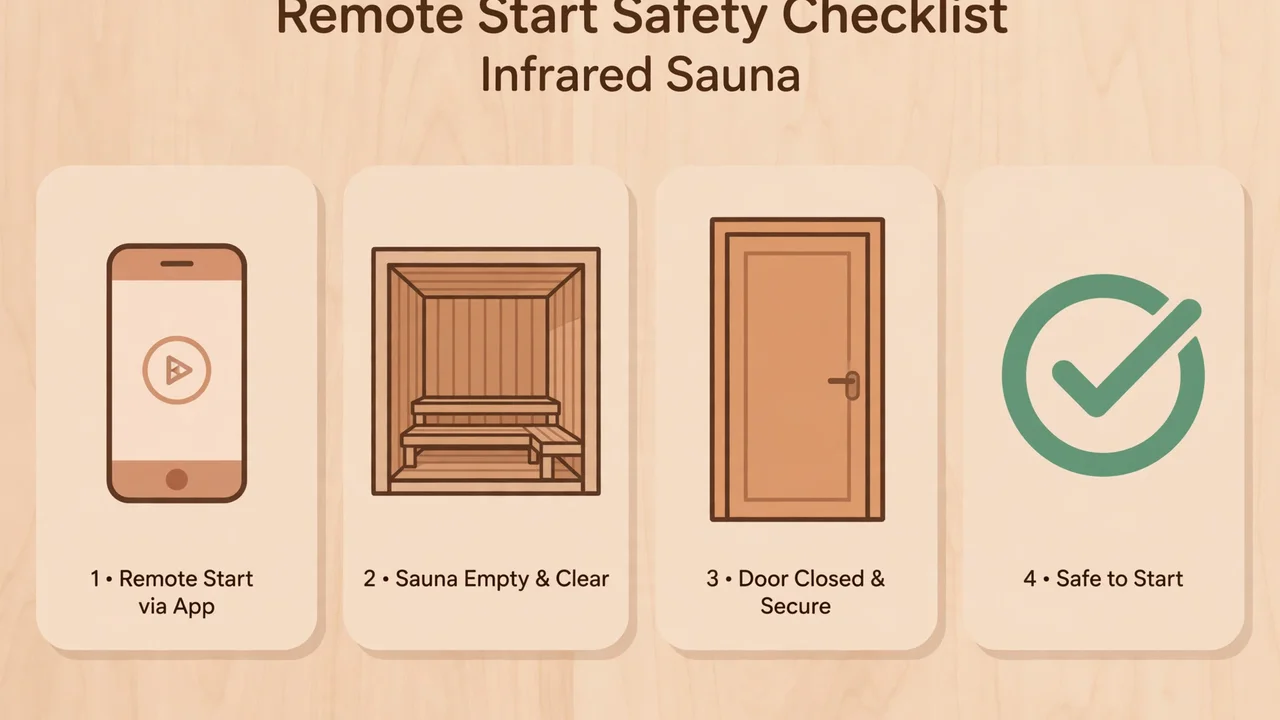
Before Every Remote Start, Confirm All of These
- The cabin is empty. No person, child or pet is inside, and nobody could have climbed in since you last checked.
- Nothing flammable is inside or on the panels. No towels, clothing, books, cleaning products, laundry or stored items are in the cabin or resting on a heater panel.
- The door closes properly. The door latches or seals as the manufacturer intends, and nothing is propping it open or blocking it.
- Children and pets cannot enter unsupervised. The cabin is in a space where unsupervised children or pets cannot wander in after you have checked it and before the heaters start.
- You will be able to check it soon. You are nearby enough to look in on the cabin, or someone responsible is, rather than starting it from far away and forgetting about it.
- The session will end on its own. A timer or auto-off is set, so the sauna cannot run indefinitely if you are delayed.
If you cannot confirm every item, do not start the sauna remotely. Walk to the cabin, check it in person, and start it from the panel instead. That is not a failure of the smart features — it is exactly what they are for: convenience when conditions are right, and a manual fallback when they are not.
Why “Empty” Needs a Fresh Check
A cabin that was empty this morning may not be empty this evening. Children play, pets explore, and other household members store things in the most convenient empty box they can find — which, in a spare room, is sometimes the sauna. Treat every remote start as if the cabin’s contents are unknown until you have looked.
The safest habit is boring and effective: check the cabin, close the door, then start it. If your app lets you start the sauna from another town, that does not mean the cabin has been checked from another town. Distance makes the check harder, not easier.
What to Check Before You Enable Remote Start at All
Enabling remote start is a household decision, not just a setting. Before you switch it on for the first time, work through the cabin, the room and the people who share your home.
- Read the manual’s remote-start section. Some manufacturers restrict remote start, require a particular door or sensor setup, or advise against it in certain installations. Follow your model’s instructions over any general advice, including this article.
- Confirm the door and sensors. If your cabin has a door sensor or an occupancy feature, test it. Know what happens if the door is opened mid-session and whether the app warns you.
- Look at where the cabin sits. A cabin in a locked, adult-only room is a different proposition from one in a shared family space, a hallway or a rental property. Location decides much of the risk.
- Agree the household rules. Everyone who lives with the sauna should know that remote start exists, that the cabin must stay empty and clear, and that nothing gets stored inside it — ever.
- Plan for guests and children. Visitors may not know the rules. If children visit, or if you host guests, consider disabling remote start for that period rather than hoping everyone remembers.
- Keep the panel working. Remote start should be an extra, not the only way to run the sauna. Make sure the on-cabin controls work and that everyone knows how to stop a session from the panel.
If any of those checks gives you pause, leave remote start off. A sauna that you start in person is still a perfectly good sauna, and it removes an entire category of risk. Smart features should make sauna use easier, not make you uneasy about what is happening in another room.
For the basics of getting comfortable with an infrared cabin before adding app controls, see our guide on how to use an infrared sauna. And if you are still planning the installation itself, read our infrared sauna installation guide before wiring or positioning anything.
WiFi, Bluetooth and the Offline Fallback You Should Test
Smart controls depend on a connection, and connections fail. WiFi drops, routers restart, phones run out of battery, and Bluetooth range is shorter than most people expect — especially through walls, floors and the wooden shell of a sauna cabin.
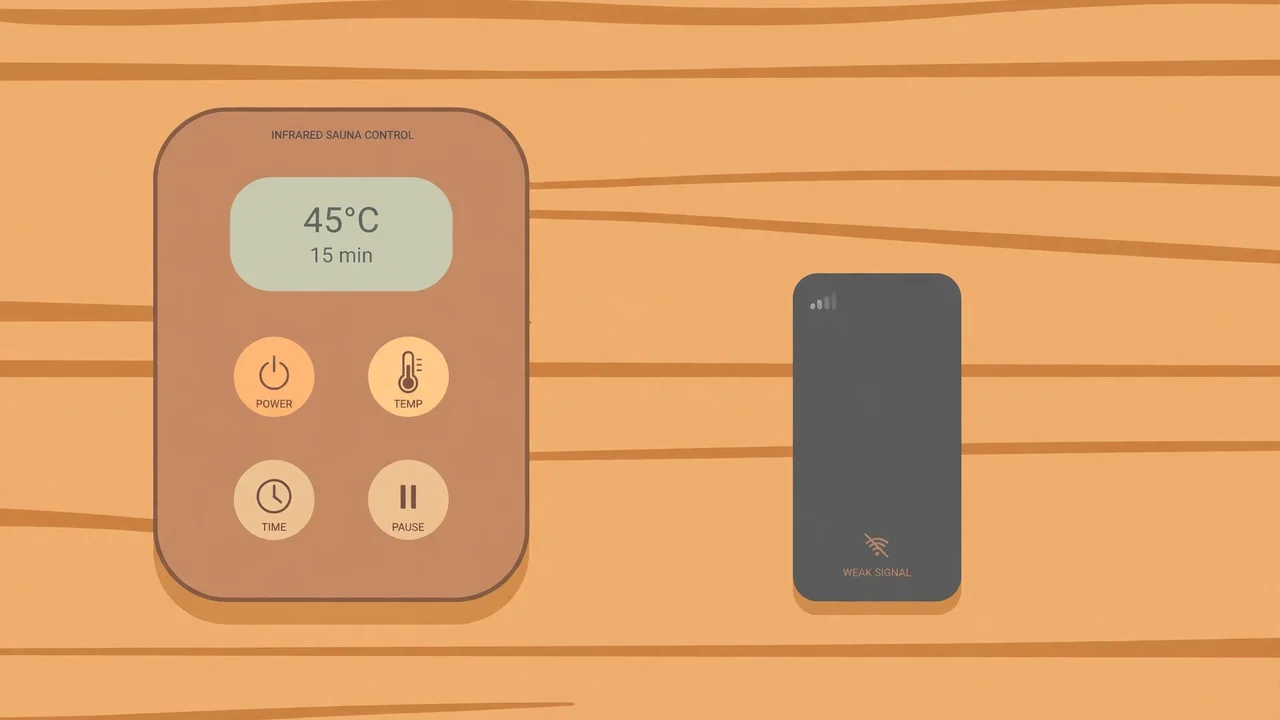
That is why the on-cabin controls are not a backup feature to ignore. They are the primary controls, and the app is the convenience copy. Before you depend on the app for a single session, test what happens when it cannot connect.
Test Your Fallback Before You Need It
- Turn off WiFi on your phone and try to start, adjust and stop a session from the cabin panel alone.
- Check whether a running session continues if the connection drops mid-session, and whether the panel still shows the remaining time.
- Confirm you can stop a session without the app. Everyone in the household should be able to end a session from the panel, even with a dead phone.
- Note the Bluetooth range honestly. If the app only works from the next room, do not plan to control the sauna from the garden, the car or another building.
If the panel cannot do the job on its own, that is a problem with the setup, not a reason to lean harder on the app. Talk to the manufacturer or your installer, and do not treat a phone-only sauna as a finished installation.
WiFi Reliability Tips That Actually Help
A sauna cabin is often at the edge of a home’s WiFi coverage — in a basement, a garage conversion or a garden room. If the app disconnects often, the fix is usually about the network, not the sauna. A mesh node or access point nearer the cabin, placed according to the router manufacturer’s guidance, often helps more than repeatedly reinstalling the app.
Keep the sauna’s software updated through the manufacturer’s own update path, and keep your phone’s operating system reasonably current. Updates are also where security fixes arrive, which brings us to the part of smart saunas that owners most often overlook.
Account and Password Security for Your Sauna App
A sauna app account looks trivial — it is, after all, just a sauna. But it can start a heater in your home, reveal when you are home and using the sauna, and, in some systems, sit on the same account as other smart-home devices. Treat it like any other account that can affect your home.
- Use a unique password. Do not reuse a password from your email, banking or main smart-home account. If one account is compromised, the others should not fall with it.
- Turn on two-factor authentication if the app offers it, and keep the recovery method somewhere you can actually reach.
- Do not share the login casually. Give guests a way to use the sauna from the panel instead of handing them your account. When a guest leaves, there should be nothing to revoke.
- Remove old devices. If you sell or give away a phone or tablet that had the sauna app, sign out of the app on that device first, and check the account’s device list if one is available.
- Review permissions. An app that only needs local network access should not need your contacts, photos or location history. If it asks for more than seems necessary, check the manufacturer’s explanation before granting it.
If you ever suspect the account has been accessed by someone else, change the password, sign out other devices if the app allows it, and disable remote start until you are confident the account is yours again. A heater that someone else can start is not a minor privacy issue.
For a related everyday-safety question, many owners also wonder about electronics near the heat — see whether you can bring your phone into an infrared sauna. The short version is that the cabin is a poor place for a phone, which is one more reason to control it from outside rather than from the bench.
Smart-Home Integration: Useful, With Cautions
Linking a sauna to a voice assistant or a home-automation routine sounds appealing: “warm up the sauna” as part of an evening routine, or a sauna that switches off when the house alarm is set. Some of that is genuinely convenient. All of it adds new ways for the sauna to start without a person checking the cabin.
Be cautious with any automation that can start the sauna on its own. A routine that fires on a timer, a geofence or a voice command heard by the wrong person is, in effect, a remote start — and it needs the same empty-cabin check as a tap in the app. If your automation cannot confirm the cabin is empty, it should not be allowed to start the heater.
Automations that stop a sauna, send a reminder or switch off a schedule are much lower risk than automations that start one. If you automate, automate the safe direction first: reminders to check the cabin, automatic shut-off at the end of a session, and alerts if a session runs longer than expected.
Also consider what happens when the smart-home platform changes. Accounts close, integrations are withdrawn, and voice platforms update their rules. A sauna that only works through a third-party integration is fragile. Keep the manufacturer’s own app and the on-cabin panel working as the reliable path, and treat any wider integration as a bonus.
Running Costs: The Smart Feature You Should Actually Watch
Smart controls can quietly change how much a sauna runs. A forgotten schedule, a session started remotely and then delayed, or a family member who starts the sauna “just in case” all add running time that a manual-only cabin would not have. None of that is dramatic on its own, but it adds up over weeks.
Use the app’s history, if it has one, to check for sessions nobody remembers starting. If you find them, tighten the rules: fewer schedules, shorter warm-up windows, and remote start only for the person who will actually use the sauna. For a fuller picture of what infrared running costs depend on, see how much electricity an infrared sauna uses.
Who Should NOT Use Remote Start
Remote start is not for every household, and choosing not to use it is a sensible decision, not a missed feature. Skip remote start entirely — or disable it for now — if any of these describe your home.
- Unsupervised children or pets can reach the cabin. If a child or pet could enter the sauna between your check and the heaters starting, remote start is not safe for your household.
- The sauna is in a shared or rental property. In a shared rental, you cannot control who stores things in the cabin or who might enter it. Do not start a heater you cannot personally verify.
- The cabin doubles as storage. If anyone in the household treats the sauna as a spare cupboard, even occasionally, remote start must wait until that habit is fully broken.
- The door does not close reliably. A door that sticks, drifts open or fails to latch undermines every other safety check. Fix the door first.
- Nobody will check the cabin soon after it starts. Remote start from far away, with no one nearby to look in, leaves a running heater unverified for too long.
- Anyone using the sauna has a relevant health concern. If a user is pregnant, has a heart or circulation condition or low blood pressure, or takes medication affecting heat tolerance, they should check with a doctor first — and sessions should be supervised and started deliberately, not remotely on a whim.
In all of these cases, the panel is the right control. Walk to the sauna, check it, start it, and enjoy it. You lose a few minutes of warm-up convenience and gain a safety check that no app can replace.
Keeping a Smart Sauna Clean, Safe and Low-EMF Aware
Smart features do not change the basic care a cabin needs. Regular cleaning, drying the cabin after use, and keeping the interior clear all matter just as much with an app as without one. A clean, empty cabin is also a safer cabin to start remotely, because there is less inside it that could cause a problem.
See our guide on how to clean an infrared sauna for a routine that keeps panels and benches in good condition. And if low electromagnetic field exposure matters to you, read what a low-EMF infrared sauna is before comparing models — smart controls and EMF levels are separate questions, and a WiFi-connected cabin deserves both checks.
Finally, the habits around a session matter as much as the controls. What to avoid before and after an infrared sauna covers alcohol, heavy meals and other common mistakes, and is an infrared sauna safe answers the broader safety questions that new owners usually ask first.
Troubleshooting Common Smart-Control Problems
Most smart-sauna problems are connection problems, not heater problems. Work through them in order, and stop at the panel if anything about the cabin itself seems wrong.
| Problem | Likely cause | What to try |
|---|---|---|
| App will not connect | WiFi out of range, router restarted, or phone on a different network | Move closer, check the phone is on the home network, restart the router, then use the panel |
| Schedule did not fire | Schedule deleted, time zone changed, or app signed out after an update | Re-check the schedule in the app, confirm the time zone, and test while home |
| Sauna started unexpectedly | Forgotten schedule, shared account, or automation routine | Check schedules, routines and shared logins; disable remote start until the cause is found |
| Panel works but app does not | App permissions, outdated app, or Bluetooth pairing lost | Update the app, re-pair if needed, and keep using the panel meanwhile |
| App shows the wrong status | Connection dropped mid-session | Trust the panel over the app; check the cabin in person |
One rule covers every row of that table: if the app and the cabin disagree, believe the cabin. Go and look. An app status is a report from a connection; the panel and the cabin itself are the reality.
Frequently Asked Questions
Can I start my infrared sauna from my phone?
Yes, if your model supports remote start — but only after you have confirmed the cabin is empty, nothing flammable is inside or on the panels, the door closes properly, and children or pets cannot enter unsupervised.
Is it safe to leave a smart sauna on a schedule?
A schedule is safe only when it is tied to a real plan, the cabin is checked before it runs, and the session ends automatically. Delete schedules you no longer use so they cannot fire unexpectedly.
What happens if the WiFi drops during a session?
That depends on your model, so test it before you rely on it. In general, use the on-cabin panel to adjust or stop the session, and treat the panel — not the app — as the reliable control.
Should I connect my sauna to a voice assistant?
Only with caution. Any automation that can start the heater is a remote start and needs the same empty-cabin check. Automations that stop a session or send reminders are much lower risk.
Can guests use the sauna app?
It is safer not to share your account. Let guests use the on-cabin panel instead, so there is no login to revoke when they leave.
Should I disable remote start in a home with children or pets?
Yes, if children or pets could enter the cabin unsupervised. In that case, start the sauna in person from the panel after checking the cabin.
The Bottom Line on Smart Infrared Saunas
A smart infrared sauna is at its best when the technology stays in its proper place: scheduling and presets for convenience, the panel for reliable control, and your own eyes for the safety check that matters. Used that way, WiFi controls genuinely make sauna routines easier.
Used carelessly, though, the same features create a new risk — a heater starting in a cabin nobody has checked. Keep remote start for times when you can confirm the cabin is empty and clear, keep the panel working, keep the account secure, and switch remote start off whenever your household, your guests or your cabin make that the wiser choice.
Convenience should never outrank a two-minute check. Check the cabin, close the door, and then — only then — tap start.